
Widget Customization
The LookIA widget is configured directly from your project dashboard under Sites > [Your Site Name] > Configuration. Changes are saved instantly and pushed to your live website without requiring you to touch the HTML embed code again.
Available Configurations
Inside the dashboard panel, you will find options to adjust the foundational elements of the widget:
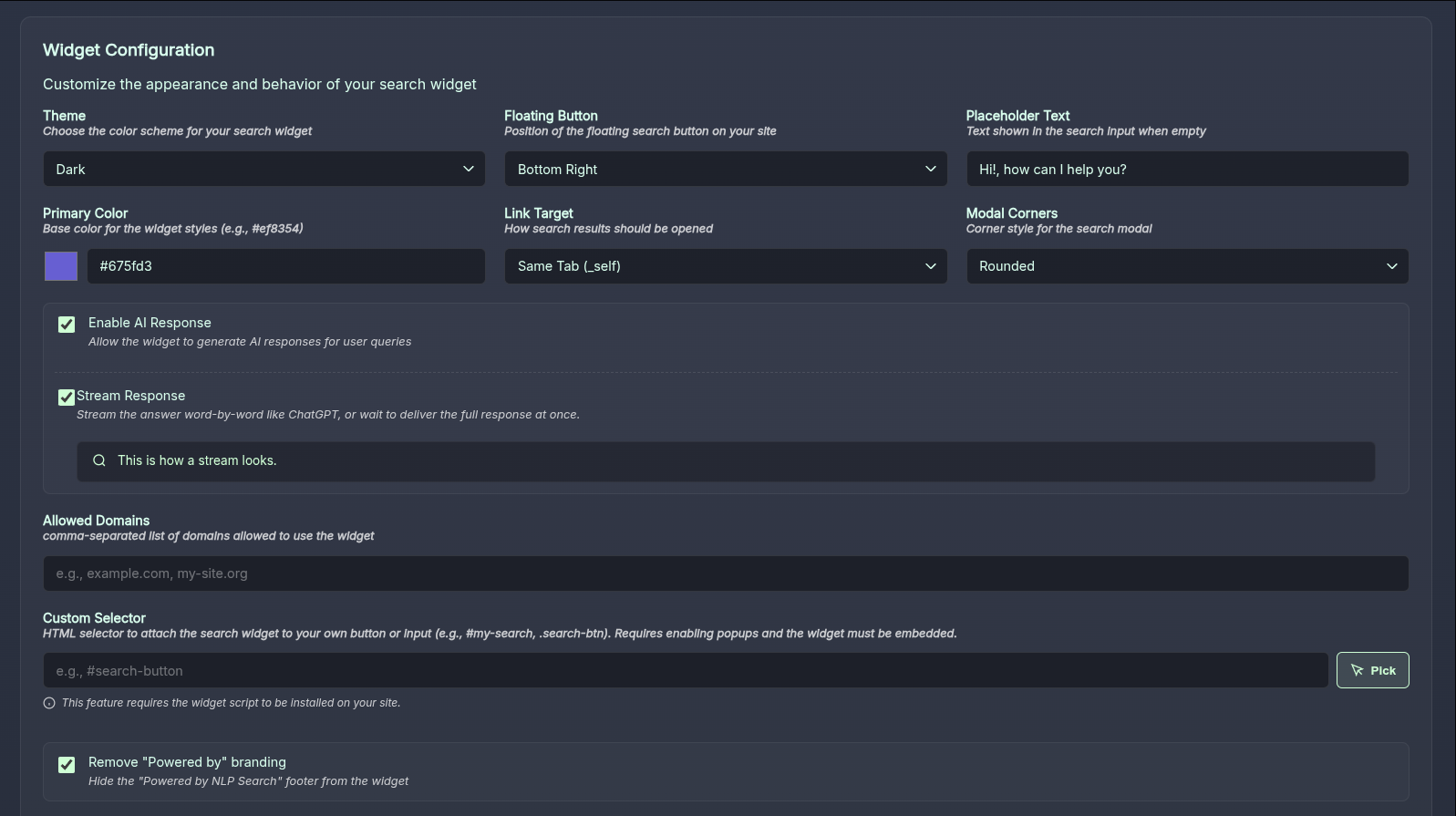 (Screenshot: Visual configuration panel inside the Dashboard)
- Theme: Choose between
auto,darkandlightmode defaults. - Floating Button Position: Where the search toggle rests (
bottom-right,bottom-left, ornoneto hide it). - Placeholder Text: The default message shown in the empty input bar.
- Primary Color: The accent color used for highlights and links (e.g.,
#ef8354). - Link Target: Decide if results should open in the Same Tab (
_self) or a New Tab (_blank). - Modal Corners: Define the shape of the UI (
roundedvssharp).
Premium Features
Upgraded accounts gain access to deeper integrations to further control the widget:
- Enable AI Response: Allow the widget to generate generative responses summarizing results.
- Allowed Domains: Restrict widget use to specific origins (CORS) to prevent quota abuse.
- Custom Selector: Attach the search modal to any existing button on your site via a CSS Selector (e.g.,
#my-nav-search-button). - Remove Branding: Hide the "Powered by LookIA" footer entirely.